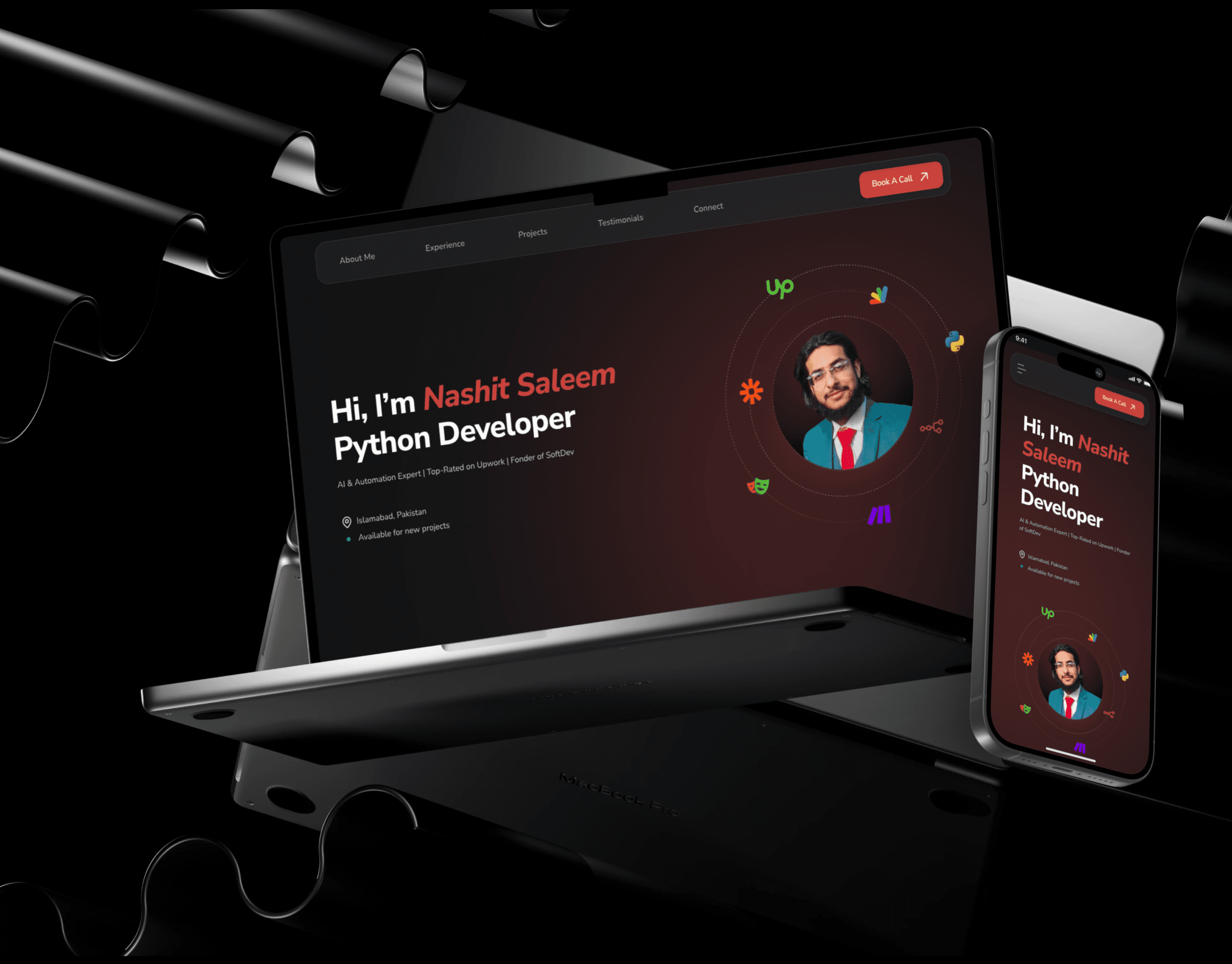
Inner Circle app
An app design for community platform “The Inner Circle” with having features like, feed, structured spaces, courses, events, leader-board, chat system and admin dashboard etc.
App Design
Role
Product Designer
Duration
2-3 Weeks
Scope
24 Screens + Design system
Tools
Figma, Canva & Claude
Background
Inner Circle is an exclusive community platform bringing together top network, traders, entrepreneurs and business owners. The client was running their community on Circle.co, a third-party platform, and wanted to break free from its limitations with a fully custom mobile application built specifically for their needs.
The ask was clear: "Design a mobile app from scratch in dark theme with premium feel and fast."

Problem
The community was growing, but the platform holding it together was working against them and need more admin control on mobile app.
Circle.co, is functional on desktop web experience however they had frustrating mobile experience. The limitation of community admin in mobile app, like managing members, view analytics or moderate content from phone. The pricing was unpredictable. $2,000 per year with overage charges. And the onboarding process for new members was completely manual, creating unnecessary overhead for the team.
Beyond the platform issues, the community had a deeper identity problem. It was running on a generic tool designed for anyone, but Inner Circle isn't for anyone. It is a curated, tiered network with exclusive access levels, gamified engagement, and a strong sense of belonging. The platform had to reflect that.
Research & Discovery
Before touching Figma, I spent time understanding the space.
For that purpose, I joined the Inner Circle community on Circle.co as a member and observed the actual content, structure, and how the community communicated. I tested their mobile app also and documented its friction points. I studied how Discord and other community-first apps handled navigation, spaces, and member engagement on mobile.
What became clear quickly was that the best community apps share one thing: they make the feed feel alive, make the hierarchy feel meaningful, and make the member feel like they belong to something exclusive. That last point "exclusivity" was going to drive every design decision.

The Challenge
Several layers of complexity made this project more demanding than a typical app redesign.
No brand foundation. The client provided a bio link and mentioned they want dark theme. That was it. I had to reverse-engineer a full visual identity from a single icon and extracting colors, inferring typographic direction, and building an entire design system from zero that would feel premium, consistent, and intentional across screens.
Too many features, not enough clarity. The client brief listed a large number of features, feed, spaces, chat, courses, events, leader board, member tiers, AI agents, admin tools, and more. Most of these were inspired by what Circle.co offered. My job was to strip away what didn't belong on a small screen, find a logical home for everything that did, and design a navigation system that felt natural rather than overwhelming.
Right reference. I downloaded and tested Circle.co's mobile app directly. What I found was that it is built for multi-community platforms. Users can jump between dozens of different communities. Inner Circle is one community. The entire navigation logic, information architecture, and mental model needed to be rebuilt. What works for a community marketplace doesn't work for a single exclusive network.
AI agents with no precedent. The client wanted different AI agents integrated into the app. onboarding assistant, a payment reminder, an economics market scanner, and a hedge fund insights dashboard. Translating these backend capabilities into a clean, usable mobile interface required rethinking what an "agent" actually means in a UI context.

Information Architecture
After exploration and doing research, I moved on to mapping the information architecture of app before designing anything in Figma. The IA of app was structured around five zones:
Onboarding & Auth: Splash, onboarding screens, account creation, community joining flow, and Circle AI introduction.
Core Navigation: A five-tab bottom navigation having Home, Spaces, Chat, Notifications & Profile. Search was deliberately moved into the Home feed header rather than given its own tab for the best UX and use of space cuz an empty search tab adds friction without value.
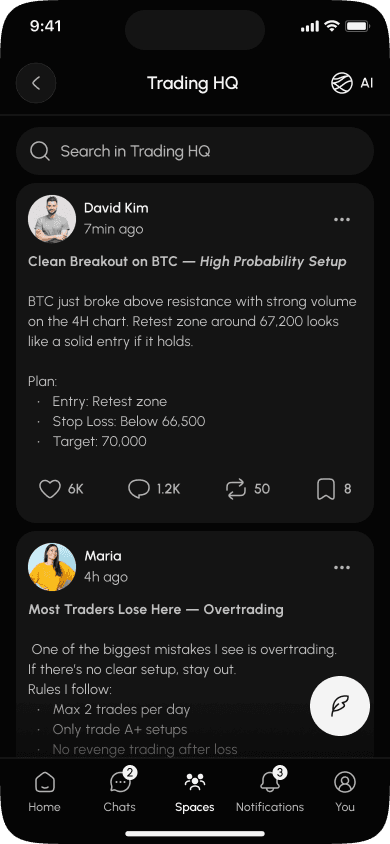
Spaces: The content hub. Each HQ (ECOM, Trading, Business) contains its own feed, courses, events, and members. Rather than scattering these as separate tabs, everything lives contextually inside its space.
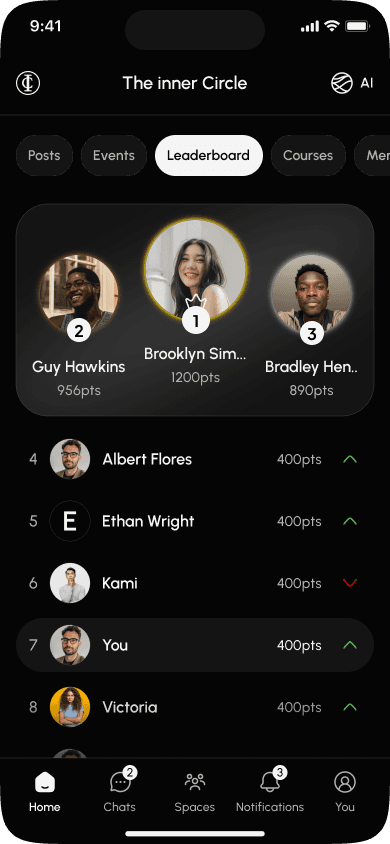
Engagement Layer: Leader board surfaced inside Profile and tab on home page for detail view. Also it can add as a home feed widget. Events promoted through the Home feed strip. Members accessible through any avatar tap throughout the app.
Admin Layer: A hidden admin dashboard accessible only to Thomas, containing push notification tools, member tier management, content moderation, and quick stats. These screens solves the single biggest operational pain point the client described.

Design System
Building the design system was one of the most important decisions of the project. Without a brand guide, I had to create structure that would hold the screens together and feel like a single, coherent product.
I extracted the brand color from the provided logo and built a full dark-mode color palette around it. Having deep backgrounds and monochromatic black & white premium system that runs throughout the entire app. The visual hierarchy makes the exclusivity of the community feel tangible on screen.
Typography was set using a clean sans-serif font, @Urbanist. All type scales, spacing, and corner radius values were tokenized as Figma variables so any future developer handoff or design update stays consistent automatically.
Components were built for every repeating element: member cards, post cards, tier badges, space cards, event cards, chat bubbles, notification items, and bottom navigation states. Every component was built with variants covering default, hover, active, locked, and empty states.

Approach & Considerations
After designing a cohesive design system, I started designing the UI screen, during that process I had to consider some approaches which really shaped the app and I want to share them,
In Circle.co, search was a tab but I considered "Spaces" as the fifth tab, not "Search". The reason is "Search" belongs in context like; above the feed where users are already scanning content. Giving it a bottom tab wastes prime navigation. "Spaces", on the other hand, is where all content, courses, events, and members live. It earns its own place in the nav.
I added tier badges at different place. Bronze, Silver, Gold isn't just a membership level, it's an identity. Making it visible on every member interaction throughout the app creates a subtle, constant reminder of the community's structure and motivates for moving up. It gamifies without being explicit about it.
The client envisioned four separate AI agents for different tasks. After analysis, it became clear to me that the payment reminder belongs in the notification system, and the onboarding agent belongs in the signup flow and neither needs its own screen. The Economics and Hedge Fund agents are the ones users actively want to interact with. For that purpose, Circle AI can act as a unified interface that draws on all agents behind the scenes, keeping the UI clean while the intelligence runs in the background.
The client's community manager had no usable mobile control. The Admin Dashboard was designed as his most important screen. Having a daily command center with quick stats, a push notification composer with tier targeting, a pending member queue, and a content moderation feed. Everything accessible and actionable in under few taps.
Outcome
In the end, the delivered design gives Inner Circle a product that feels like theirs. Dark, premium, structured around their tiers with rich UX and specifically built for the way their community manager actually works.
The design system means the app can scale. New spaces, new content types, new agent capabilities can be added without rebuilding the visual foundation. Everything is componentized, tokenized, and documented.






Key Takeaways
Every project is also a learning opportunity and this project taught me a lot about designing without guardrails. No brand guide, limited direct client contact, a reference platform that wasn't actually the right reference. And these are real constraints that most design projects carry in some form. The answer isn't to wait for more information. It's to make informed decisions, document your reasoning, and present with confidence.
The biggest skill I gain here wasn't only UI, it was product thinking. Understanding which features belonged on mobile versus web, which AI capabilities needed UI and which didn't, how to structure navigation for one community versus many. That thinking is what turned a list of requirements into an actual product.